Device Management
 Endpoint Detection & Response
 Vulnerability Management
 Kai
Kai Liftoff
 Prism
Prism Migration Agent
 Auto Apps
 Passport
 Compliance
 Assignment Maps
 Managed OS
 Integrations
 Mac
Mac iPhone and iPad
 Apple TV
 Vision Pro
 Financial Services
 Technology
 Artificial Intelligence
 Marketing Agencies
 Healthcare & Biotech
 Consumer Brands
 Startup
 Growth
 Enterprise
 Resources Hub
 The Sequence
 Customer Stories
 Reviews
 Mac Admins Community
 Security Details
 MDM Comparison Guide
 Customer Support
 Product Updates
 Kandji Status
 Customer Login
 Register a Deal
 Become a Partner
 Partner Portal
 About Kandji
 News & Press
 Careers
 Contact
 Why Kandji?
 Back to Product Updates
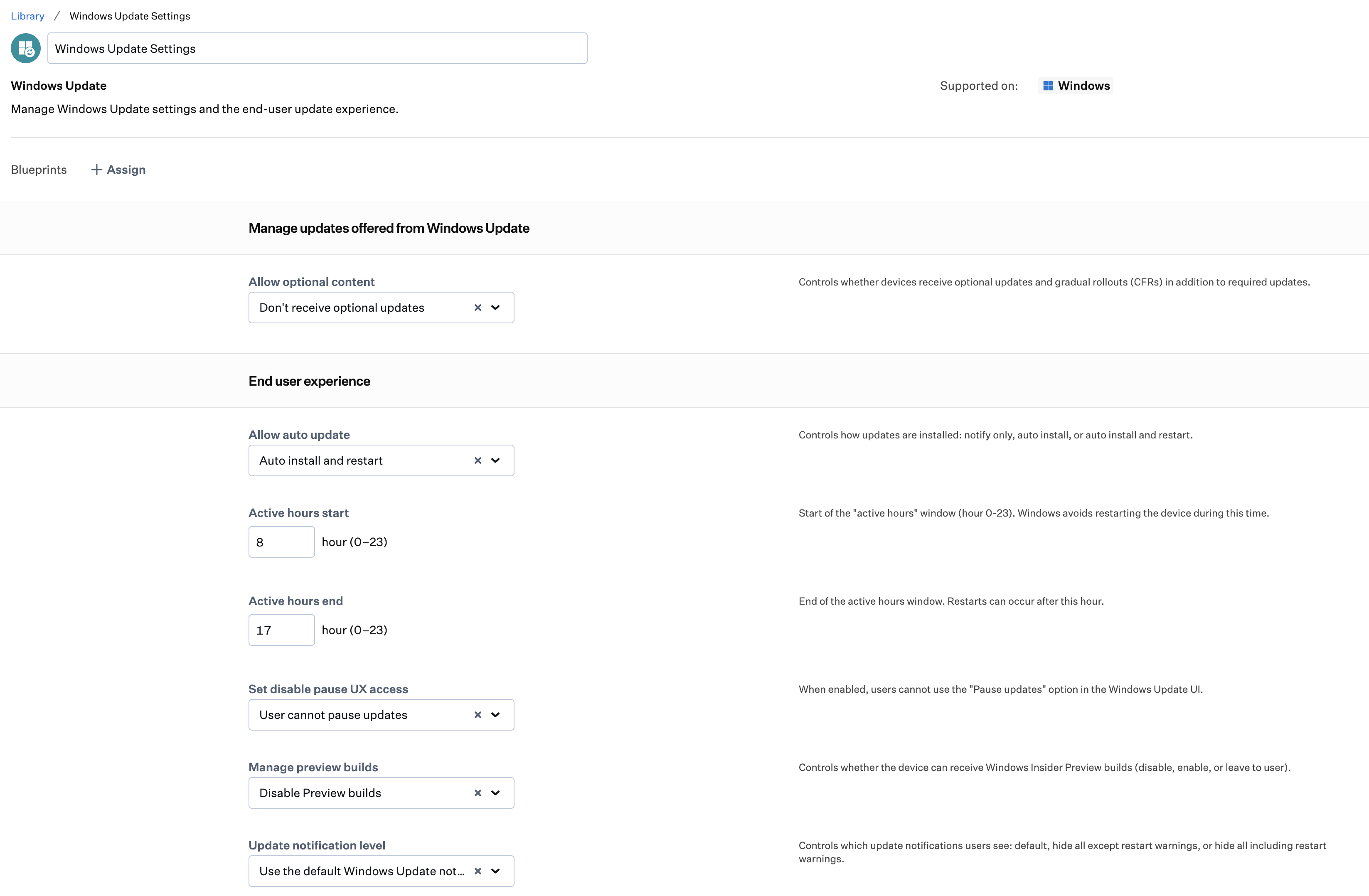
The Windows Update Library Item gives you control over how and when updates install on Windows devices.
Configure auto update behavior with options ranging from notify-only to fully silent installs. Set active hours to protect users from disruptive restarts during the workday, and remove the ability for users to pause updates from the Windows Update interface—keeping your devices on schedule without manual intervention.
Advanced settings, available in an expandable section of the Library Item, go further: schedule installs by day, time, and week of the month; exclude driver updates from quality update rollouts; control metered network downloads; and manage access to Windows Insider Preview builds. These settings are not configured by default and are intended for teams that need deeper control over update rollout behavior.